




Showcontroller logo
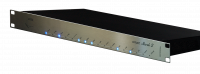
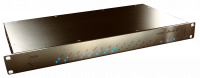
ShowNET compatible

Create, program and perform professional laser shows

Showcontroller combines live laser operation, timeline programming and content creation in one professional software suite.

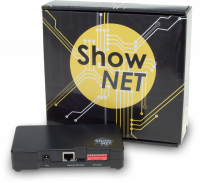
ShowNET provides the direct LAN connection between Showcontroller and compatible laser projectors or external ILDA interfaces.

Visit Showcontroller

Showcontroller software with a multi-projector laser show
Network laser control

Showcontroller and ShowNET

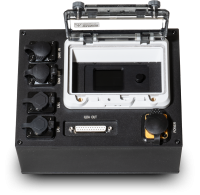
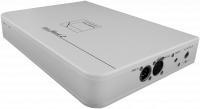
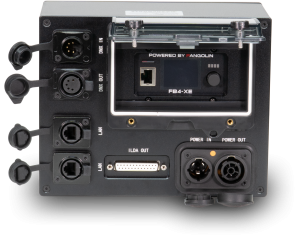
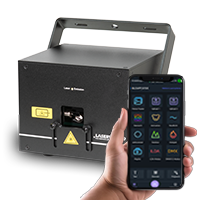
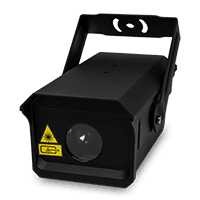
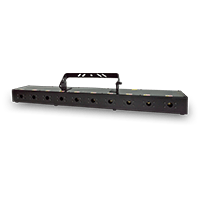
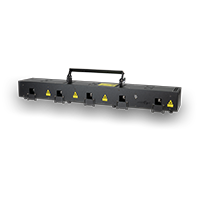
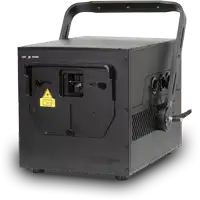
Showcontroller can send laser output to ShowNET interfaces over a standard Ethernet network. A projector with integrated ShowNET needs no separate USB-to-ILDA DAC; an external ShowNET can add the same network workflow to an ILDA-equipped projector.

Multiple ShowNET devices can be assigned to independently calibrated hardware outputs for larger, multi-projector productions.

Direct LAN outputUse normal Ethernet cabling and network infrastructure.
Multi-projector controlMap timeline tracks to separately configured hardware outputs.
Per-output correctionAdjust position, size, colour, scanner behavior and safety zones.
Lighting integrationWork with MIDI, DMX and Art-Net control workflows.
One connected suite

Dedicated tools for every stage of a show

Frames and animations can move between the suite’s program parts, from initial drawing through programming and live playback.

LIVE

Trigger cues, patterns and animations live, apply effects and control individual projectors, groups or chases.

RealTime

Build music- and media-synchronised shows on a multi-track timeline with effects, fades, timecode and preview support.

PicEdit

Draw and edit custom 2D or 3D laser graphics, logos, text, frames and animations.

Tracer

Convert bitmap images and video material into laser-compatible graphics and animations.

SVG Tool

Convert static or animated SVG vector content into laser graphics.

Player and preview

Play prepared shows and use the integrated OpenGL preview or supported external visualisers.
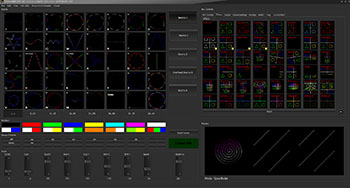
Showcontroller LIVE interface

Perform live

Operate cues and effects from the computer, MIDI hardware or a DMX controller.
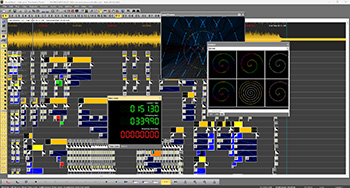
Showcontroller RealTime timeline

Program on a timeline

Arrange laser content, media and effects into a synchronised production.
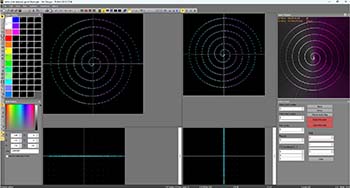
Showcontroller PicEdit graphics editor

Create original content

Draw, edit and optimise graphics for scanner-based laser output.

Production features

Built for programmed and live shows

  • Timeline-based laser and multimedia programming
  • Live cue, group, chase and global-effect control
  • ILDA import and export
  • MIDI, DMX and Art-Net integration
  • Timecode and visualiser workflows
  • Independent projector calibration and safety zones
What you need

A ShowNET-equipped output path

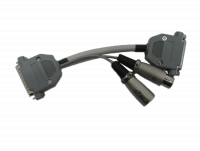
Connect the Showcontroller computer and ShowNET device to the same Ethernet network. With an external ShowNET interface, connect its ILDA output to the projector.

Licence and feature note: available features and output limits depend on the Showcontroller licence edition. Check the current product and licensing pages for the configuration required by your production.
 

Showcontroller LIVE:

Showcontroller LIVE is the software part of the Showcontroller Suite that is especially designed for live laser show control. No matter if it's used to accompany a DJ set with lasers, to play lasers at a festival or to support a musical or artistic performance - Showcontroller LIVE is the tool for every laser show application that cannot be pre-produced or pre-programmed or has no common time base.
Showcontroller LIVE is an extremely mighty tool: 40 scenes can be preset per bank and 10 banks can be used for this. Also, Showcontroller LIVE already comes with a large selection of already preset scenes, so it's very easy to get going with a laser show:

1. Connect the hardware interface and the laser system
2. Open Showcontroller LIVE
3. Click START and select a scene

That's it!


Showcontroller RealTime:

Showcontroller RealTime can be used for creating timline-based laser shows. Laser frames and animations can be placed on a timeline and synchronized to music. A multitude of customizable effects can be added to those frames then. It is possible to create many tracks in parallel.Showcontroller RealTime comes with all the features that are required for high professional laser show programming.

The main window shows the timeline, where all programming elements can be assigned to a general time-base, e.g. an audio file or just a simple lapse of time.
The preview window allows for watching a preview of the programmed elements in real time, but also the laser output happens in real time.
Due to the versatile Dongle-Licensing it is possible to program in Showcontroller RealTime without having to have an interface connected. This eases pre-production processes and allows for laser show programming even on a plane.
The Showcontroller RealTime laser show timeline has been designed to be very intuitive - even beginners can quickly and easily create their own, first laser shows. Drag-and-drop programming is one of the key features of the Showcontroller timeline, but also the versatile use of effects that can be applied to laser frames and animations make Showcontroller the right choice for any kind of laser show design.


Showcontroller PicEdit:

Showcontroller PicEdit is the program part that is used for creating 2-dimensional and 3-dimensional laser graphics. It is a very powerful tool that not only allows for creating vector based frames but also for laser animations.
PicEdit closely works together with other software parts of the Showcontroller software suite, like Showcontroller Trace and Showcontroller SVG-Tool:
Import custom logos from JPG files or get static or animated vectors from Blender (or from other 3D software, with using Blender as export tool).


Showcontroller Tracer:

The Showcontroller Tracer program part is specifically designed for re-tracing pixel-based pictures, like JPG files, to a laser-compatible, vector based format. Simply select a picture, e.g. a logo, and get it traced. Various options for optimization are provided to make the laser projection of the very frame as smooth as possible.


Showcontroller SVG Tool:

The Showcontroller SVG Tool allows for importing frames or animations in the SVG file format to Showcontroller. This can be files from the free 3D-Animator Blender (or from other 3D programs by using Blender as converter) or just SVG files from a standard Vector editing software, like Adobe Illustrator.


Showcontroller is available with two different Licensing models:

1. Showcontroller:

Supports up to 3 Laserworld ShowNet hardware interfaces (DAC)

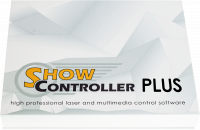
2. Showcontroller PLUS:

Supports more than 3 hardware interfaces (DAC), different hardware interfaces are supported (more details)
- Shownet
- Netlase
- Netlase LC
- Easylase II
- Phoenix Micro USB V1

This covers the complete range of basic USB to high end LAN output interfaces. All Interfaces support DMX in/out.
Showcontroller PLUS also supports the Realizzer 3D and Depence2 implementation and the use of Video-Events.
Showcontroller PLUS license allows for ILDA file export as well.