



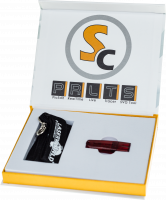
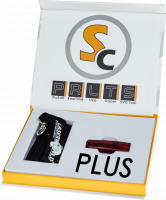
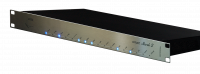

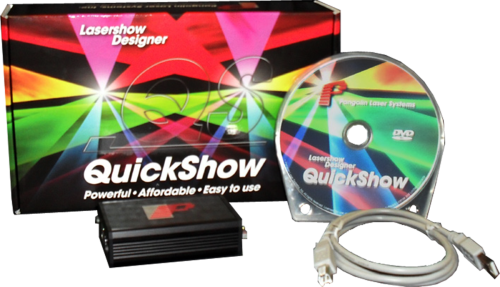






Showcontroller - Version 3.0 - Full Version
Sold 2024 – 2025
Professional Laser Control Software<br> Version 3.0 <br><br> Works in Demo mode if no license dongle is inserted.<br><br><b>IMPORTANT INSTALLATION HINT</b><br> If a previous version of Showcontroller is installed on the computer, make sure to save all your work to a different folder than the installation path (which usually is C:\Showcontroller). Then uninstall the old software and make sure that C:\Showcontroller was deleted during the uninstall. <b>If C:\Showcontroller is still present and was not deleted on uninstall, make sure to manually delete C:\Showcontroller before installing this new version!</b>
⇩ Download software<b>Changelog Showcontroller Version 3.0:</b><br><br> <b>Update Manager integrated: </b><br> -Showcontroller checks for new versions and offers to download the new installer if a new version is available.<br><br> <b>Control Center:</b><br> - Sorting of hardware devices: It is now possible to not only assign tracks to hardware devices, but also to sort the Hardware devices to meet the requirements. The settings are preserved.<br> - The size and offset settings can be adjusted more easily: Drag and drop, manual value input and mousewheel are supported now to ease the fine tuning.<br><br> <b>Live:</b><br> - It has been asked for numerous times, now it s here: Run-Text in Live. It is also possible to use it in conjunction with layers, so you can make the run text run behind objects or inside of objects.<br> Further development of this feature is in the making. - ILDA Export scenes in Live (select a scene and then pres Ctrl+I - may require keyboard control for scene selection to be switched off in settings)<br> - New Color effect available in Live<br> - MIDI teach-in: It is possible to deactivate teach in for MIDI 1 - this allows for teaching in a second MIDI device without conflicting with the settings for the first one during teach in. It is possible to activate and deactivate MIDI teach in for device 1 to teach in device 2. Remember to check these settings before trying to teach any devices.<br> - Chaser speed control can be linked to match the beat (BPM Settings) <br><br> <b>RealTime</b><br> - Major code sanitization to eliminate timing irritation with very long shows. <br> - Video Export issues have been fixed<br> - Updated old Lissajous sample files<br> - Optimized output flow<br> - Versioning: Settings for projection zones and general settings should be preserverd on future updates, even if the format has changed (automatic conversion). <br><br> <b>Player:</b><br> - Complete rework of the Player software part. Intuitive and versatile usability.<br><br> <b>PicEdit:</b><br> - Optimized standard settings for the drawing of circles to smoothen the overlap as standard <br><br><br> And many more optimizations, improvements and fixes.
- EAN7640144990350,7640144990367A,7640144990367
Downloads & Resources
No additional resources for this product.